Beeline
- 4.6
- Rating
- 100.00K
- Installs
- Free
- Price

 Analysis by App-foxy
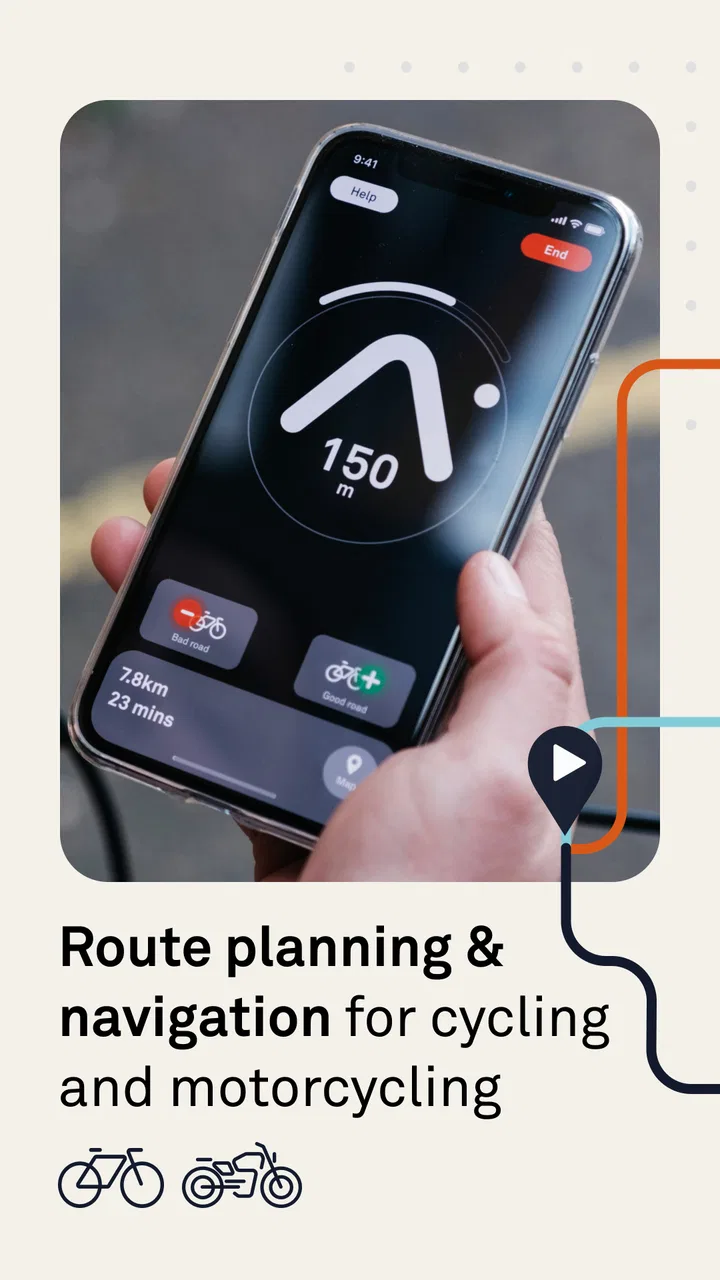
I like cycling apps that stay out of the way once I start moving, and Beeline takes that idea seriously. Developed by Relish Technologies Ltd., this free navigation app is built for cycling and motorcycling rather than for every possible kind of travel. It combines route planning, navigation and GPS tracking in one place, with a simpler feel than the turn-by-turn systems many people already know from driving apps.
That simplicity is its main appeal, but it also explains where some users may hesitate. Beeline is most useful when I want a clear route and enough guidance to make confident decisions without constantly studying a detailed map. It is less convincing if I expect a full replacement for a dedicated motorcycle navigator, a topographic cycling tool or a general-purpose map service with every possible transport option.
After spending time looking at how it fits into an ordinary ride, I see it as a focused companion for people who want navigation to support the journey rather than dominate it. The important question is not whether it can display a route. It is whether its style of guidance matches the way you ride.
You May Also Like

 Blood Strike: 2.5 Anniversary
Blood Strike’s Loadouts Turn Every Drop Into a Tactical Gamble
A close look at Blood Strike’s custom loadouts: how fast access to signature weapons reshapes its battle royale rhythm, rewards preparation, and narrows the gap between fights.

 Pandora - Music & Podcasts
Pandora’s Music Is Easy to Start, but Harder to Recover
Pandora’s strength is its low-effort path from a seed to a station. Its weak spot is how much confidence it asks you to place in connection, setup, and quiet recovery.

 8 Ball Pool
 Is Built on Rivalries, Rematches, and Routine
A close look at the rivalries, rematches, shared routines, and unanswered safety questions that turn a quick pool match into a persistent mobile community.

 Samsung Music
’s Quiet Strength Is Playing What You Already Own
Its reach comes less from spectacle than from dependable access to a personal library. That simplicity is both the app’s strongest retention engine and its ceiling.

 AccuWeather: Weather Radar
AccuWeather Review: A Quick, Clear Forecast for Everyday Decisions
For everyday plans, the best forecast is the one you can understand quickly. AccuWeather makes rain timing, radar, and local conditions easy to act on, with a few trade-offs.

 Hill Climb Racing
Why Hill Climb Racing Still Turns Crashes Into One More Run
A tiny car, a bumpy hill and one more upgrade: Hill Climb Racing keeps resurfacing because its simple chaos makes every near-miss feel personal.
More From Our News Desk



Where riders are most likely to get stuck
The first point of friction is understanding what kind of guidance Beeline is trying to provide. A conventional navigation app often gives a sequence of spoken or visual instructions: turn left, continue straight, take the next exit. Beeline is better approached as a route companion that helps me keep an overall sense of direction while I ride. That can feel pleasantly calm, but a person expecting constant, highly detailed instructions may initially wonder whether the app is showing enough.
This matters most in unfamiliar city centres. A simple directional view can be easy to read while moving, yet I still need to pay attention to the road layout, signs and traffic. I would not treat the screen as a substitute for looking ahead. Before setting off, I prefer to inspect the route while stationary, especially where several roads run close together or where a cycle path and a motor road separate.
Another common stumbling block is assuming that route planning is finished as soon as a destination is entered. For a relaxed ride, the shortest or quickest option may not be the route I actually want. Cyclists often care about quieter roads, a pleasant surface or avoiding a difficult junction. Motorcyclists may prefer a route that makes the ride enjoyable rather than merely efficient. The useful habit is to review the proposed path with the purpose of the trip in mind instead of accepting the first result automatically.
GPS behaviour can also be misunderstood. A navigation app depends on the phone receiving a usable location signal, and that signal can become less reliable beside tall buildings, under dense cover or in places where roads overlap. If the position appears to pause or jump, I first check the surroundings and the phone rather than immediately blaming the route calculation. A brief delay does not necessarily mean Beeline has lost the whole journey.
The app’s audience is broad enough to include both cyclists and motorcyclists, but those groups do not use navigation in exactly the same way. A cyclist may stop often, follow a path that is not obvious from the road network or switch between roads and dedicated cycle routes. A motorcyclist may keep the phone mounted and glance at it less frequently. I find Beeline most comfortable when I decide in advance how much attention I can safely give the display.
What I check before the first ride
I begin with the basics: the phone has enough charge, location services are available, the planned destination is correct and the device is secured where I can view it without taking my attention away from traffic. These checks sound obvious, but they prevent the most frustrating kind of troubleshooting—trying to solve a phone or mounting problem while already on the road.
It is also worth checking the app’s age and device compatibility before installing. Beeline is rated for Everyone, has a minimum operating-system requirement of version 8.0, and its current version is 4.2.8191. Those details make it accessible to many phones, but an older handset can still behave differently from a newer one because of battery condition, background activity or manufacturer-specific power management.
On Android, I would look for settings that restrict background activity or aggressively save battery. I would not switch off every battery safeguard without reason, but if tracking stops whenever the screen dims, the phone’s power controls are a sensible place to investigate. On iPhone, I would similarly review location access and battery behaviour if the route freezes after the app has been left running for a while. The exact menus vary, so I prefer checking the phone’s own settings rather than following a generic guide meant for another model.
Before relying on it for a long trip, I recommend a short local test. Plan a destination a few minutes away, start the ride, stop once in a safe place and confirm that the position updates as expected. This reveals more than repeatedly reinstalling the app. It also helps me learn how much information I can comfortably read at a glance.
Mounting position makes a surprising difference. A phone placed too low forces me to look down for too long; one mounted where glare hits the screen can make perfectly good guidance appear useless. I try the position while stationary, rotate the phone if needed and check it in both bright and shaded conditions. For motorcycling, vibration and weather protection can introduce another layer of difficulty, so the mount and case deserve as much attention as the app.
Beeline is free to download, with in-app purchases listed from $4.99 to $54.99 per item. I would check which functions are included in the version I intend to use before planning a major trip, rather than assuming every navigation or tracking option is available without an upgrade. That is a practical purchasing check, not a reason to dismiss the app: the right value depends on whether I need occasional guidance or use it as a regular riding tool.
A routine that prevents most setup problems
My preferred preparation is simple. I choose the destination, examine the route, confirm that the phone can be seen safely, begin the journey while stationary and then keep the phone mounted. If I am heading somewhere important, I also make a mental note of the main roads and destination area. That small amount of preparation gives me a fallback if the screen becomes hard to read or the signal becomes unreliable.
I would not begin a ride by experimenting with every setting. Changing several permissions, route choices and phone controls at once makes it impossible to know what fixed a problem. One change at a time is slower in the moment but much more useful later. If location updates fail, I check location access first. If the app closes, I examine battery restrictions. If the route itself seems unsuitable, I revisit planning rather than changing phone settings.
For people who share a phone with other navigation apps, a short test is especially valuable. Multiple apps may compete for attention, battery or the visible route. I prefer choosing one navigation tool for the ride and closing anything unnecessary. This is not a special Beeline requirement; it is a way to keep the journey easier to understand and to reduce distractions.
Recovering the workflow when something goes wrong
When navigation appears to stop, I avoid tapping repeatedly while moving. I pull over somewhere safe, check whether the phone still shows its current location and then look at the route. If the position is updating but the route seems wrong, I consider whether I have taken an unintended road or whether the road layout has changed. If the position is not updating at all, I investigate the phone’s location connection before rebuilding the entire journey.
A useful recovery sequence is to pause, confirm the destination, check the phone’s location setting and then restart only the part of the journey that needs correcting. I would not immediately erase a route that took time to plan. Keeping the original intention in mind makes it easier to tell whether the issue is route selection or tracking.
GPS drift is another situation where patience helps. In a dense urban area, the marker may briefly appear on a nearby road even though I am travelling correctly. I slow down mentally rather than making a sudden turn based on one inaccurate position. Road signs, lane markings and the visible environment remain more trustworthy than a single moving dot.
If the app becomes unresponsive, I first stop safely and note what happened. Was the screen locked? Did the phone become hot? Was another app open? Did the problem begin after the device had been running for a long time? Those observations are more useful than saying only that “navigation failed.” A normal restart of the app or phone may resolve a temporary problem, while repeated failures point toward the device, its operating system or the installation itself.
Reinstalling can be a last resort, not the first response. Before doing that, I make sure I understand what information I may need to set up again and whether I have any route or tracking details worth preserving. A clean installation can help with damaged local app data, but it cannot repair poor GPS reception, a weak mount or a route that was unsuitable from the beginning.
For a long bicycle ride, I would carry a basic backup plan even if Beeline is working well. That might mean knowing the next major destination, carrying enough battery for the return trip and being willing to stop for a conventional map check. The point is not to undermine the app. Good touring habits recognise that phones, signals and weather are all outside the app’s control.
When the app is not the cause
Many navigation complaints actually begin with the phone. A tired battery can shut down tracking at the worst moment. Heat from direct sunlight or charging can make the device slow. A loose cable can create intermittent charging, and a poor mount can make the display shake so much that the guidance is difficult to interpret. I treat these as part of the navigation setup, not as separate accessories that do not matter.
The riding environment matters too. Tall buildings can make urban positioning less stable, while tree cover, tunnels and enclosed roads can interrupt location updates. A route that crosses several levels of roads can confuse any screen-based map if I rely on the marker alone. In those places, I use the app as one input and confirm decisions with signs and the physical layout.
Network conditions may also affect the experience, depending on what the app needs at a particular stage of planning or use. If I am travelling through an area with weak coverage, I prepare before leaving the reliable signal. I do not assume that a route planned at home will behave exactly the same way after hours of riding without checking the phone and app beforehand.
There is also a human cause: rushing. A rider who waits until the last second to interpret a turn can make a good route feel bad. I prefer slowing down before complicated junctions, stopping when a decision is unclear and never trying to operate the phone while moving. Beeline can reduce mental clutter, but it cannot remove the need for safe riding judgement.
Compared with a general map app, Beeline feels more purpose-built for a ride. A general alternative may be stronger when I need business listings, public transport, walking directions or highly detailed local information. Compared with a specialist cycling app, Beeline may appeal more to someone who wants a clean route companion rather than extensive ride analysis. A dedicated motorcycle navigation product can be a better choice for riders who need very detailed road instructions, advanced touring controls or a device designed specifically for harsh riding conditions.
That comparison is not about declaring one winner. I use different tools for different trips. For a quick commute, a familiar local route or a weekend ride where I want navigation without a crowded interface, Beeline makes sense. For a complicated multi-stop expedition, an unfamiliar city with many transport changes or a ride where every road preference matters, I would investigate whether another category of app fits the job better.
Who will get the most from it
I think Beeline suits riders who want to plan before leaving and then keep their attention on the road. It is particularly attractive if you find full turn-by-turn interfaces distracting or if you enjoy choosing your own pace and route while still having directional support. The combination of planning, navigation and GPS tracking gives a casual rider a clear starting point without requiring a separate tool for every stage.
A realistic everyday example would be a cyclist travelling from home to a café in a neighbouring area. I would set the destination before leaving, inspect the route for awkward crossings, mount the phone, begin the trip and follow the general direction. If I decide to take a quieter side road, I can stop safely, reassess and continue rather than treating the original line as an order. That flexibility is part of the app’s charm.
It also works for a motorcyclist who knows the broad destination but wants support during a ride without turning the trip into a spreadsheet of instructions. The rider still needs to choose routes responsibly and account for road conditions, but the app can provide a useful sense of progress and direction.
I would be more cautious recommending it to someone who wants navigation to announce every manoeuvre in exhaustive detail, someone who rarely has time to prepare a route or someone who expects a phone app to replace a dedicated navigation device. Riders with older phones should test performance locally, and anyone who depends on uninterrupted tracking should test the complete phone-and-mount setup before trusting it on a demanding journey.
My practical verdict after weighing the trade-offs
Beeline has a clear identity, which is its strongest quality. It is not trying to be an all-purpose travel database. Its focus on cycling and motorcycling makes the experience feel more relevant than a standard driving map when I am riding, while its straightforward approach can make navigation less mentally tiring.
The trade-off is that simplicity requires the rider to participate. I need to review routes, understand the surroundings, prepare the phone and recover sensibly when GPS or hardware behaves badly. Someone looking for a completely automatic guide may find that extra responsibility frustrating. I see it differently: for many rides, the reduced clutter is worth the small amount of preparation.
The app has earned a 4.6 average from around 13K ratings and has passed 100K installs, which suggests that its focused approach has found a substantial audience. It is free to start, available to Everyone, and comes from Relish Technologies Ltd. Those details make it easy to try without committing to a specialist device. The in-app purchase range, from $4.99 to $54.99 per item, means I would still inspect the available options carefully before treating it as a long-term paid navigation system.
My recommendation is straightforward: try it on a short, familiar ride first. Learn how its guidance looks, test the phone in its actual mount and see whether the route style suits your habits. If you enjoy having a calm directional companion and are willing to make sensible checks before riding, Beeline is a strong fit for everyday cycling and motorcycling navigation. If you need exhaustive instructions, complex touring controls or a device that remains dependable without phone-related variables, a more specialised alternative will probably serve you better.
For me, the deciding strength is not that it promises to solve every navigation problem. It is that it can make a ride feel less dominated by the map. Used with a little preparation and realistic expectations, it is a practical free app to keep in a rider’s toolkit, especially when the goal is to know where I am going without losing the feeling of being on the journey.
FAQs for Beeline
01What is Beeline, and what can I use it for?
Beeline is a mobile application associated with Beeline telecommunications services, allowing customers to manage their mobile account from a smartphone. Depending on the country and local version, it may let you check your balance, monitor data usage, purchase packages, pay bills, manage tariffs, activate roaming, and review available offers. Features can vary by region, so it is worth checking the app description before downloading.
02Is Beeline free to download and use?
The Beeline app is generally free to download from the official Google Play Store or Apple App Store. However, some actions performed inside the app may involve charges, such as purchasing mobile data, calling packages, roaming options, or other operator services. Mobile data usage may also apply when using the application, unless you are connected to Wi-Fi. Always review prices and confirmation screens before completing a purchase.
03Do I need to be a Beeline customer to use the application?
Most of Beeline’s account-management tools are intended for customers with a Beeline SIM card, phone number, or home internet service. Registration commonly requires a Beeline number and verification through SMS or another approved method. Some public information, promotions, support pages, or coverage tools may be accessible without an account, but full functionality normally depends on having an eligible Beeline service in the supported country.
04Is Beeline safe for managing payments and personal account information?
The official Beeline application is designed to provide a secure way to manage services, view account information, and make payments. For safety, download it only from an official app store and confirm that the developer matches the legitimate Beeline operator in your country. Avoid sharing verification codes, passwords, or payment details with anyone. Enable device security and keep the app updated to receive important fixes.
05What should I do if Beeline does not work or I cannot log in?
If Beeline will not open, fails to load, or rejects your login, first check your internet connection and install any available app update. Confirm that you are using the correct phone number and verification method, then restart the application or your device. Temporary operator maintenance can also affect access. If the issue continues, use Beeline’s official support channels, website, or customer service rather than relying on unofficial contact details.
Pros
- Fast access to account balance
- plans
- and remaining data.
- Convenient bill payment and balance top-up options.
- Easy access to Beeline support and service information.
- Useful tools for managing multiple Beeline numbers.
- Personalized offers may help reduce monthly mobile costs.
Cons
- Some features may work only for Beeline customers in specific regions.
- The app can require frequent updates to maintain compatibility.
- Promotional offers may vary depending on your plan and location.
- Account registration may require a Beeline phone number.
- Performance can depend on network quality and device compatibility.

Beeline
Gallery